 Servey
AI agents can use your computer now - here's how to stay in control from anywhere
By Janesh Kapoor · · Updated · 4 min read
AI agents are getting good at operating a real computer - editing files, running commands, clicking through apps. The more they can do on their own, the more it matters that you can watch and step in. Here is how to keep that oversight from anywhere.
A new class of AI agent does not just answer questions - it acts. It runs commands in your terminal, edits your files, opens apps, and clicks through interfaces on a real machine. That is powerful, and it is exactly why oversight matters: an agent working unattended for an hour can do a lot of good, or wander somewhere you did not intend.
Autonomy is great - until it isn't
The point of an agent is that you can leave it alone. But 'leave it alone' and 'have no idea what it is doing' are different things. The healthy middle is supervised autonomy: the agent works on its own, and you can glance in at any time to see progress, approve a risky step, or pull the brakes. The catch is that the agent runs on your computer, and you are not always sitting at it.
What staying in control actually requires
- Visibility: see the agent's live output and what it is touching, in real time, from wherever you are.
- A pause button: answer a confirmation or send an interrupt the instant the agent stops to ask.
- The full picture: not just the terminal, but the actual screen, for when the work moves into a browser or an app.
- No friction to check in: reaching your machine should not need a VPN, a jump host, or setup you will not bother with at 11pm.
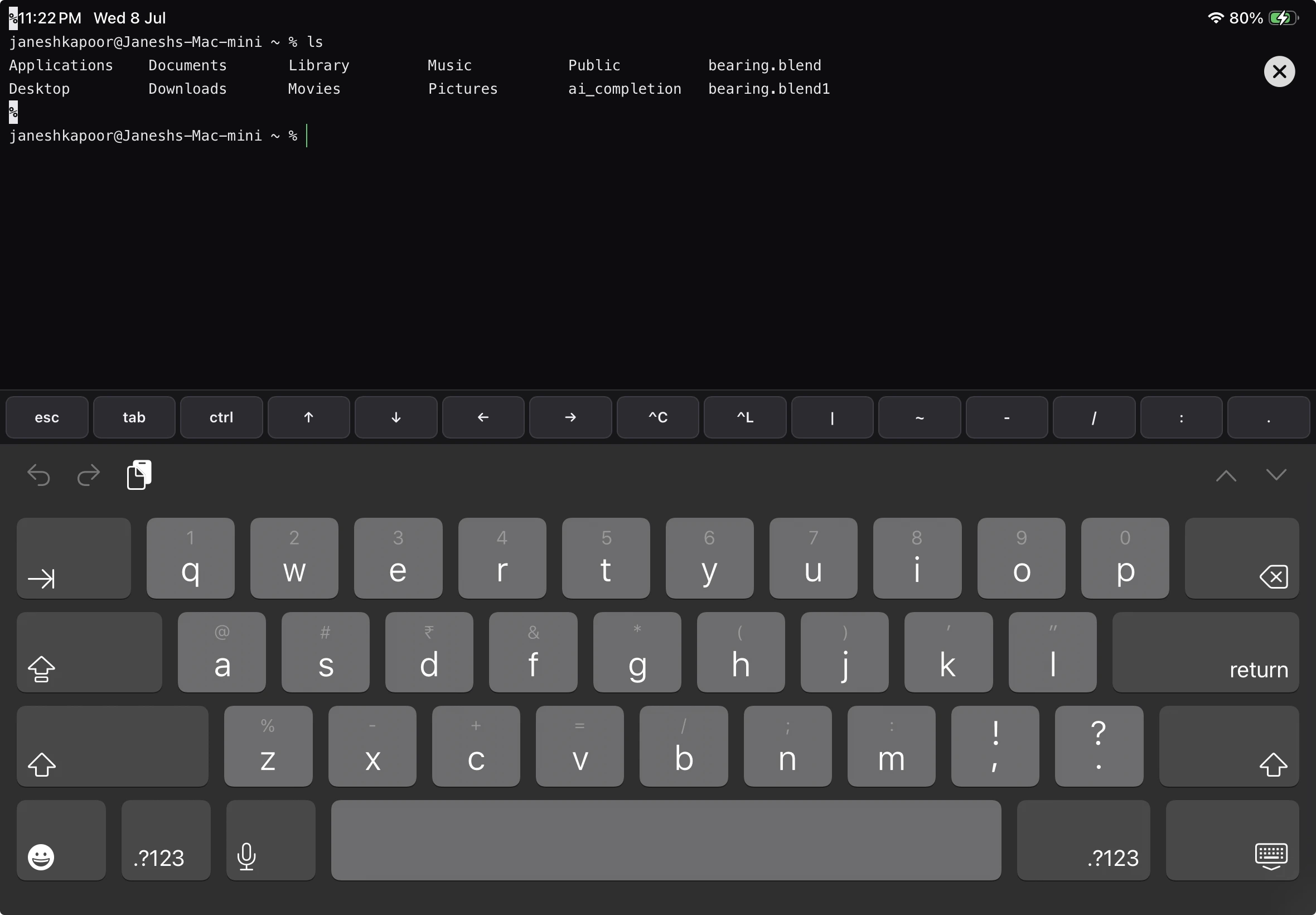
Keep a human in the loop from your pocket
You do not need to sit at your desk to stay in control. With a real terminal and full screen mirroring of your Mac on your iPhone or iPad, you can supervise an agent from anywhere: watch what it is doing, respond when it pauses for permission, take over the desktop if it needs a human decision, or stop it outright. The agent keeps its autonomy; you keep the final say.
How Servey fits
Servey is built for exactly this kind of oversight. It puts a genuine shell and crystal-clear screen mirroring of your Mac in your pocket, on your network and remotely, so an agent running on your machine is never more than a glance away. Setup is signing in with Google on both devices - no VPN or ports - and the remote path is private and end-to-end encrypted between your own devices.
If you want to hand more work to agents without handing over control, Servey is launching soon. Join the waitlist to keep a human in the loop from anywhere.
Frequently asked questions
- How do I stay in control of an AI agent that uses my computer?
- Keep a human in the loop: Servey lets you watch the agent, approve actions, and take over the terminal from your phone, anywhere.
- Can I stop an AI agent remotely if it misbehaves?
- Yes. With Servey's real terminal and screen control you can pause or kill a run the moment it goes off track.
- Do I have to sit at my Mac to supervise an agent?
- No. Servey brings your Mac's screen and shell to your iPhone or iPad so you can supervise from anywhere.
Servey puts your Mac in your pocket. Launching soon.