Servey
Can the iPhone Duo be a laptop for your Mac Studio?
By Janesh Kapoor · · Updated · 7 min read
Apple announced the iPhone Duo on 9 September: a 5.4-inch phone that opens into a 7.6-inch display, and the first iPhone that can sit half-folded on a desk like a very small laptop. Within days a set of concept images was going round showing exactly that - a Duo propped open on top of a Mac Studio, the Mac's desktop on the upper half and a trackpad on the lower. It is a lovely picture. It is also not something the Duo does out of the box, and the reason why is the interesting part. Here is what the Duo can and cannot be for your Mac, and where Servey, the app we make, fits.
The facts first, from Apple's own announcement. The iPhone Duo has a 5.4-inch outer display and a 7.6-inch inner one, both ProMotion, the A20 Pro chip, Touch ID rather than Face ID, and a titanium frame. It starts at $1,999 with 256GB and runs to $3,199 for 2TB. Pre-orders open on 16 October and it ships on 23 October. The concept that caught everyone's imagination was posted on X by @Bfaviero, and it is worth looking at before reading on: https://x.com/Bfaviero/status/2098007995808419978
| Option | What it does | Works away from the Mac | The catch |
|---|---|---|---|
| iPhone Mirroring | Puts your iPhone on your Mac | No | Wrong direction entirely - the Mac controls the phone |
| Sidecar | Uses an iPad as a second Mac display | No | An iPad feature; Apple has not said it reaches the Duo |
| Universal Control | One keyboard and mouse across Mac and iPad | No | Shares input, never shows you the Mac's screen |
| Screens or Jump Desktop | Mirrors the Mac's screen on the phone | Yes | Available today; no fold-specific layout announced yet |
| Servey | The Mac's screen plus a real terminal on the phone | Yes | New, and not yet tested on a Duo |
The short answer: the Duo has the right shape for this and nothing on the other end of the connection. Apple built the fold, the half-open posture and a keyboard that moves to the lower half, and then shipped no way to put a Mac on the upper half. That job falls to a remote access app - Screens and Jump Desktop today, or Servey, which is built specifically for reaching your own Mac from an iPhone and putting a terminal beside the screen.
Does the iPhone Duo work with a Mac?
Not in the way the concept shows, at least not with anything Apple has announced. The iPhone Duo press release does not mention the Mac once. There is nothing about Sidecar, Universal Control, external displays, or using a Mac keyboard or trackpad with it. It is an iPhone running iOS 27, and the new tricks Apple talked about are iPhone tricks: two apps side by side for the first time, two windows of the same app, and Siri on one half while you read on the other.
That is not a criticism of the device. It is a reasonable first foldable that happens to have a shape people immediately wanted to use for something Apple did not design it for, which is usually a sign of a good shape.
What the fold actually gives you
More than it first appears. iOS 27 reacts to how the Duo is angled, not just whether it is open. Set it flat on a table and a keyboard appears on the lower half with content on the upper half. Fold it partway and you get a split keyboard, and the interface moves content away from the crease, where taps are harder to land. That half-open, keyboard-below posture is the laptop pose from the concept, and it is real. Apple built the hardware and the operating system behaviour for it. What is missing is anything to show on the top half other than the Duo's own apps.
Why nothing built in fills the gap
Apple's three Mac-and-device features all point the wrong way or stop at the wrong place. iPhone Mirroring runs in the opposite direction - it puts your phone on your Mac, so the Mac is the screen and the iPhone is the thing being controlled. Sidecar and Universal Control are built around the iPad, and Apple has not said either reaches the Duo. And all three assume you are sitting near the Mac, on the same network, often in the same room.
That last point is the one that matters. The appeal of the concept is not really a tiny laptop. It is that the Mac doing the work lives somewhere else - on a desk across the office, on a shelf at home - and the Duo in your hand is the window into it. None of the built-in features were designed for a Mac you are not near.
Can an iPhone Duo replace a MacBook?
No, and it is worth being honest about why before you spend $1,999 hoping it will. It runs iOS, not macOS, so Xcode, Final Cut, a real browser extension setup and your Homebrew tools are not on it. The inner display is 7.6 inches, which is fine for a phone and small for a working day. And a MacBook Air costs less. If you want a Mac you carry, buy a Mac you carry.
What the Duo can be is a different and genuinely new thing: a pocket front end to a Mac that does the heavy work somewhere else. That is a smaller job than replacing a laptop, and it is the one the concept is really showing.
The Mac Studio in the picture is the point
Look at what the Duo is sitting on. A Mac Studio or a Mac mini running all day is where the interesting work now happens: builds, automation, media processing and, increasingly, local language models. Apple is marketing its latest Mac mini on how fast it processes prompts in LM Studio, and the second of the concept images shows exactly that use - a chat with a model running locally on the Mac underneath. We wrote about turning the new Mac mini into a server you can reach from anywhere, and the Duo is the most laptop-shaped way yet to be the other end of it.
One honest detail about that local AI picture. A model running on your Mac is not automatically usable from a phone. You either need an app built to talk to that model server, or you reach the Mac itself - the LM Studio window on its screen, or a model running in a terminal session. The second route works with any model and any tool, which is why a real terminal beside the mirrored screen is more useful here than it sounds.
How Servey fits, and what we have not tested
Servey puts your Mac's screen on your iPhone with an on-screen trackpad, left and right click, scroll, and the modifier keys you actually need - Command, Option, Control, Esc and Tab - and a real terminal one tap away. Terminal sessions are named tmux sessions on the Mac, so a job you start from the Duo keeps running after you fold it shut. It connects on your own network directly and, from anywhere else, over an end-to-end encrypted peer-to-peer connection with no VPN and no port forwarding.
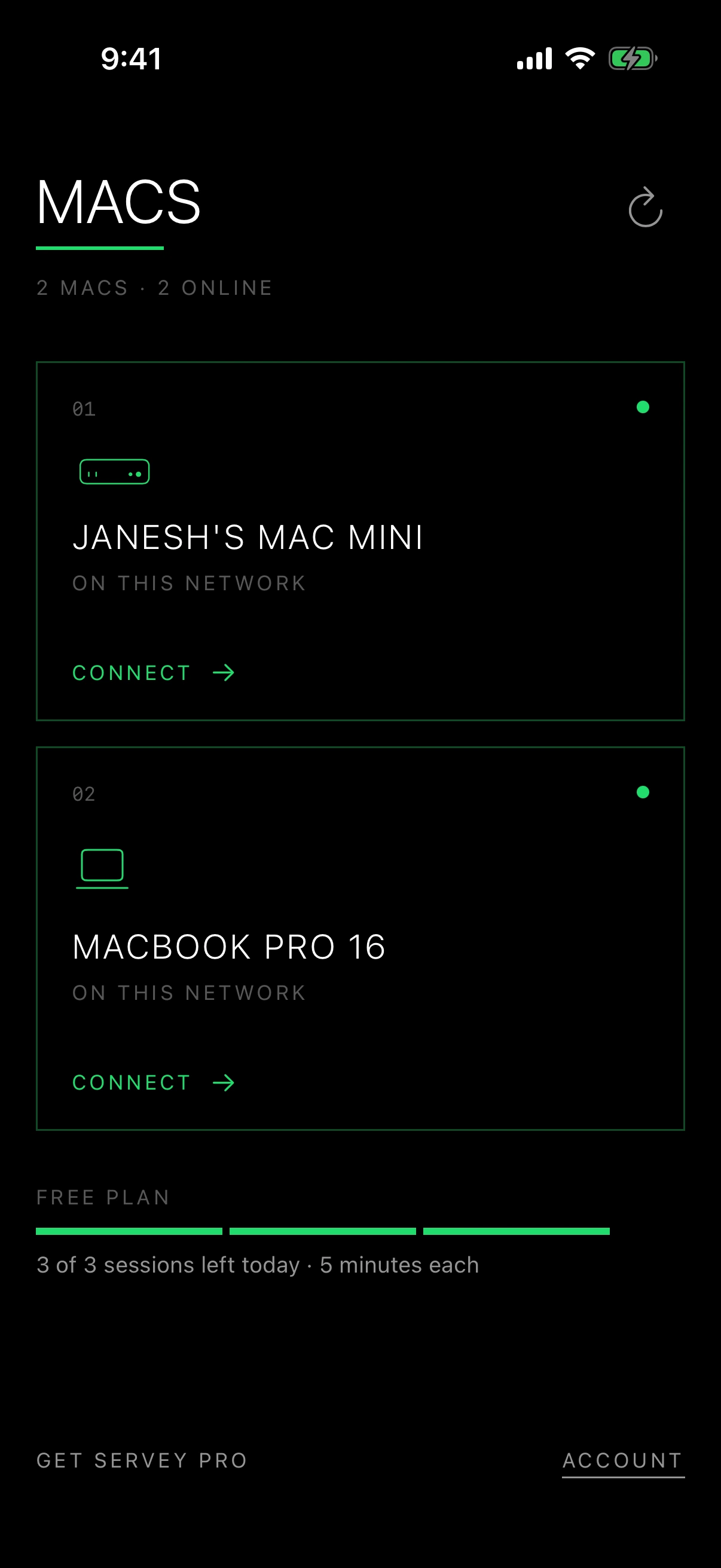
The part we will not overstate: the Duo ships on 23 October, so nobody outside Apple has run Servey or anything else on one. Today it runs as an iPhone app. A layout that puts the Mac on the upper half and the trackpad on the lower half is the obvious thing to build, and we would rather build and test it on the real hardware than promise it from a render. Servey is also Apple-only, and needs macOS 14 on the Mac and iOS 17 or later on the phone.
What to do if you are buying one
If you want your Mac on a Duo the day it arrives, do not wait for anyone to ship a fold-specific app. Screens and Jump Desktop both run on iPhone today and will run on the Duo as iPhone apps, so either will put your Mac on it. For reaching a Mac at home for free, macOS Screen Sharing over Tailscale works now, which is the setup the concept images happen to show. Then watch for which apps update their layouts for the fold in the weeks after launch - that, not the render, is what will decide whether the laptop pose is a party trick or a way to work.
Frequently asked questions
- Can you use an iPhone Duo as a display for a Mac?
- Not with anything Apple has announced. The iPhone Duo press release does not mention the Mac, Sidecar, Universal Control or external displays. To see a Mac's screen on a Duo you need a remote access app such as Screens, Jump Desktop or Servey, which mirror the Mac's screen onto the phone and also work when you are away from the Mac.
- Can the iPhone Duo replace a MacBook?
- No. It runs iOS rather than macOS, so Mac-only software is not available on it, its inner display is 7.6 inches, and at $1,999 it costs more than a MacBook Air. What it can do well is act as a pocket front end to a Mac that does the work elsewhere, which is a different and smaller job.
- Does the iPhone Duo have a laptop mode?
- In a sense. iOS 27 changes its layout depending on how the Duo is folded: set flat, a keyboard appears on the lower half with content on the upper half, and partly folded it shows a split keyboard and moves content away from the crease. That half-open posture is laptop-like, but it shows the Duo's own apps rather than a Mac.
- When can you buy the iPhone Duo?
- Apple announced it on 9 September 2026. Pre-orders open on 16 October and it ships on 23 October in more than 70 countries, with more regions on 30 October. It starts at $1,999 with 256GB of storage.
- Does Servey work on the iPhone Duo?
- Servey is an iPhone app, so it is designed to run on it, but the Duo does not ship until 23 October and we have not yet been able to test on one. A layout that uses the fold - the Mac's screen on the upper half and the trackpad on the lower - is the obvious thing to build, and we will only claim it once it exists and works on the real hardware.
Servey puts your Mac in your pocket. Out now on Mac, iPhone and iPad.